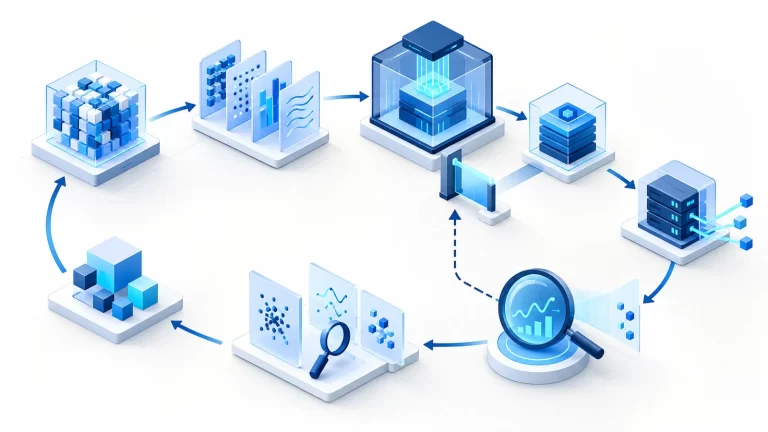

An iOS delivery pipeline for a React Native application combines JavaScript checks with Apple’s native build and signing requirements. Treating it as only a frontend deployment misses the boundary where native dependencies, Xcode configuration and distribution credentials become part of the release.
The goal is a traceable archive that can be tested and distributed through an approved process. Automation should reduce manual variation without hiding signing failures, changing credentials unexpectedly or promoting a build that has not passed the intended checks.
Define the release package
Record the source revision, dependency lockfiles, build configuration, application version and build number. Include the relevant Xcode and runner environment. JavaScript dependencies and native dependencies both affect the resulting application, so the release record must connect them.
Separate development, testing and distribution configurations. A successful simulator build is useful evidence for one environment but does not prove that a signed device archive is distributable. Specify which artifact each pipeline stage is responsible for producing.
Run fast checks before native packaging
Start with dependency installation from reviewed lockfiles, static checks and unit tests appropriate to the project. Validate configuration changes and prevent secrets from entering source or build output. These checks should fail early before consuming a signing-enabled runner.
Cache dependencies only when the cache key represents the relevant environment and lockfile state. A warm cache can conceal missing setup or stale native dependencies. Periodically verify a clean build, and keep failures distinguishable from cache or runner problems.
Use the right native build environment
iOS compilation and archiving require the appropriate macOS and Xcode environment. Select and document a supported toolchain for the project. Review native modules and platform deployment targets when changing it; a JavaScript test passing does not establish native compatibility.
A managed runner reduces host maintenance but still needs version and lifecycle review. A self-managed runner adds patching, isolation and cleanup responsibilities. Avoid sharing a signing-capable machine with untrusted build jobs whose code can access its environment.
Signing and credential boundaries
Distribution involves signing identities and provisioning requirements appropriate to the application and destination. Store credentials in the existing protected secret mechanism, limit access and prevent their disclosure in command output or archived diagnostics. Do not paste signing secrets into configuration examples.
Define who can change signing configuration and who can authorize distribution. Routine build automation should not silently create broader account access. A signing error needs a specific diagnosis—identity, entitlement, profile or account access—not repeated credential replacement without evidence.
Automate explicit Fastlane stages
Fastlane can organize build and distribution tasks into named lanes. Keep lanes narrow and reviewable. A test lane and an archive lane should have clear outputs and failure conditions; distribution should require the intended approval boundary.
# Illustrative Fastfile structure; project settings must be supplied.
platform :ios do
  lane :verify do
    scan(scheme: "App", clean: true)
  end

  lane :archive do
    build_app(scheme: "App", clean: true)
  end
end
This example is not a runtime-verified project configuration. The scheme, workspace, signing options and destination must match the application. Keep distribution out of the example until an actual release process and authorized credentials are configured.
A practical delivery sequence
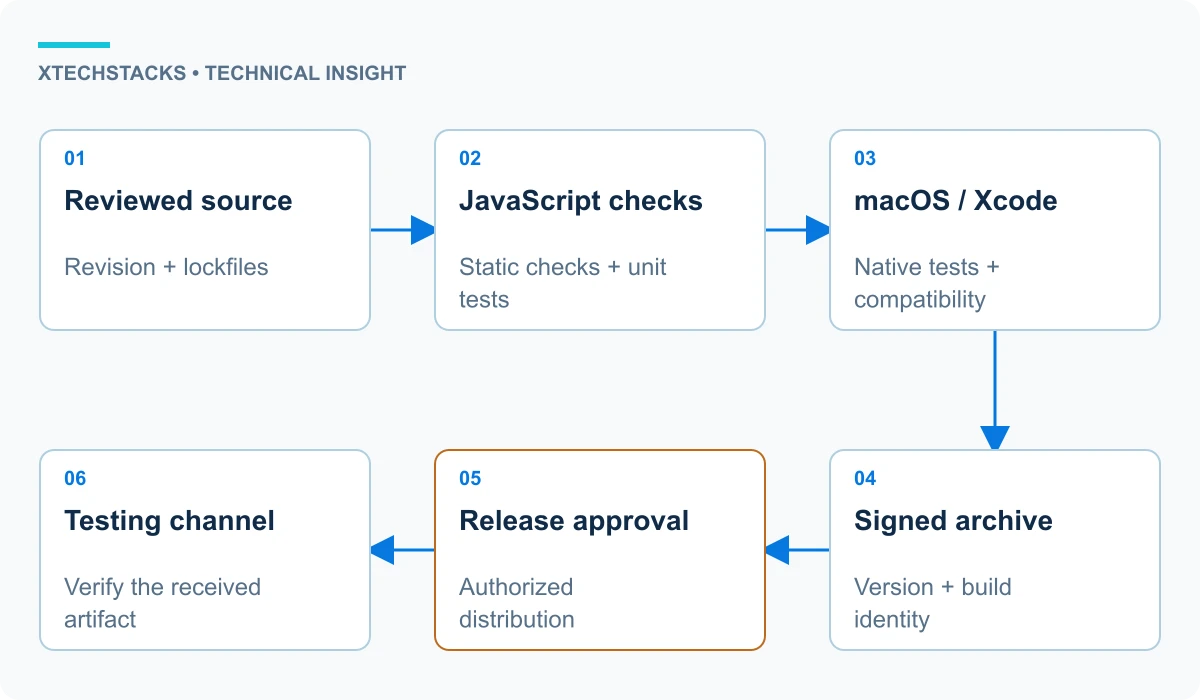
For a hypothetical business application, a reviewed commit passes JavaScript checks, then native tests on a compatible runner. The archive stage produces a signed artifact with its build record. An authorized release stage distributes that exact build to the intended testing channel, such as TestFlight where configured.
Test the installation and key application flows on representative devices before broader release. Record the build that testers actually received, not merely the source revision expected to produce it. Retain useful logs with sensitive fields removed.
Recovery and operational considerations
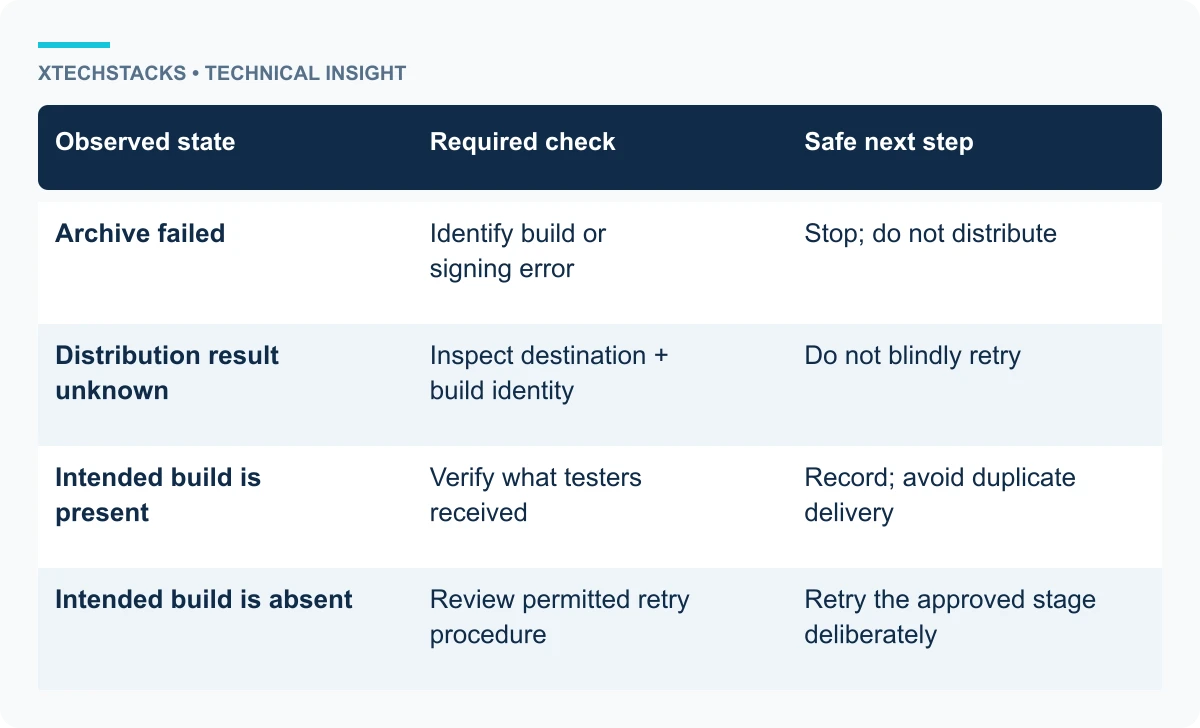
A failed archive should not trigger distribution. A failed distribution needs its own retry rules because a build may already have reached the destination. Check the destination’s state before creating another build or repeating an external action.
Mobile recovery differs from replacing a server container. Already distributed applications may remain installed, and store or testing-channel processes have their own timing. Keep backend compatibility in mind when releasing client changes. Plan recovery around the actual client lifecycle rather than assuming an immediate rollback.
Trade-offs and recommended approach
Automate repeatable steps first, then add distribution controls. Maintain one authoritative pipeline definition and an explicit record for each archive. Review runner, dependency and signing changes as release-affecting changes.
Useful evidence includes a clean build, successful native tests, a correctly identified artifact and a confirmed testing installation. None of these alone proves every production scenario. Define the remaining device, accessibility and application testing required for the particular release.
Key takeaways
- Track JavaScript and native dependencies together.
- Use a documented macOS/Xcode environment for native stages.
- Protect signing access and separate distribution approval.
- Verify the artifact that reaches testers.
Check artifact provenance
Before distribution, compare the archive’s application version and build identity with the intended release record. Verify that the destination received that artifact rather than a leftover file from a previous runner workspace. A correct source checkout does not by itself establish which package was uploaded.